Exporter les pages web :
Log in to the backend as an Administrator.
-
Enable : Technical Features (Activer le « mode développeur »)
-
Click Settings (Menu : Configuration)
-
Click Technical > User Interface > Views
(Sous-menu : Technique > Interface Utilisateur > Vues)
-
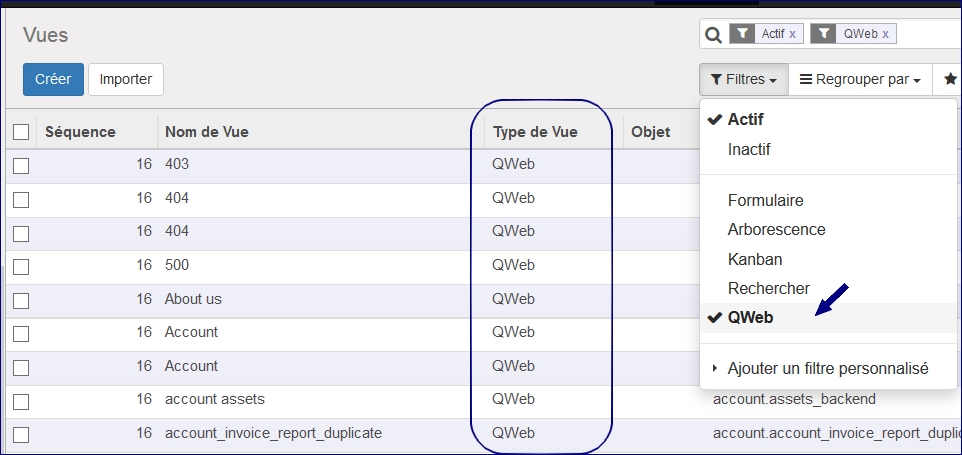
On the top-right, click the down-arrow next to open the advanced Filter.
-
Click Advanced Search >Under Advanced Search scroll down, and click on Whether this view is a web page template (complete)./ Qweb
Odoo Qweb Filter -
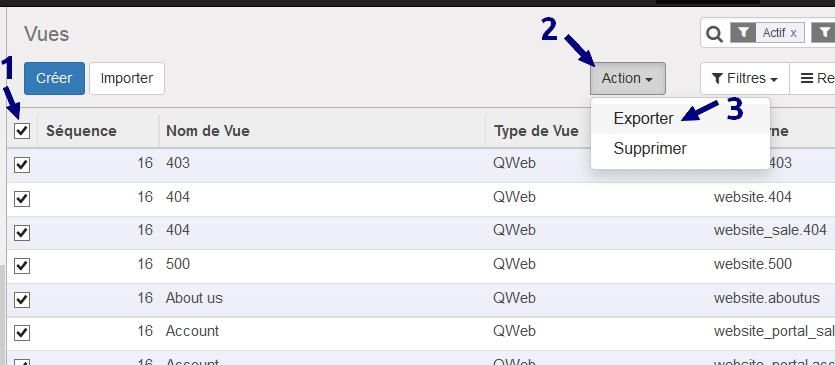
Select the records you want to export and choose Export :
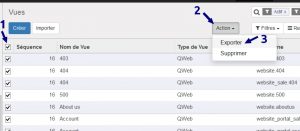
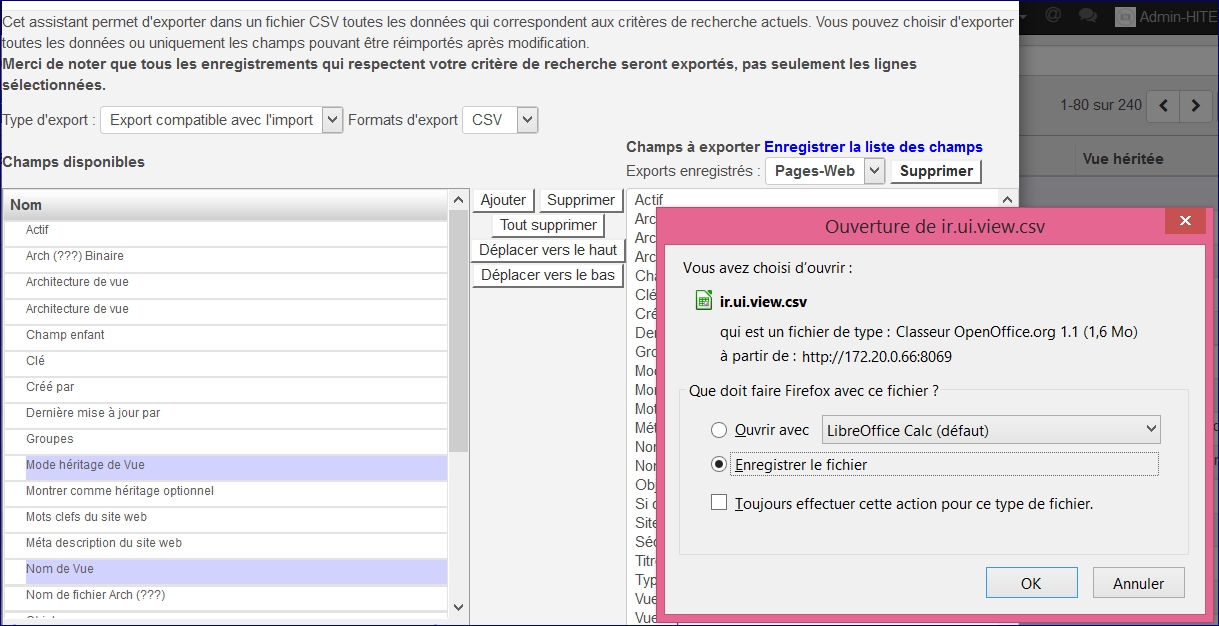
Odoo Qweb Export - Sélectionner toutes les colonnes et cliquer sur Export en bas de page :